XP by the minute, with a timer on your Lock Screen
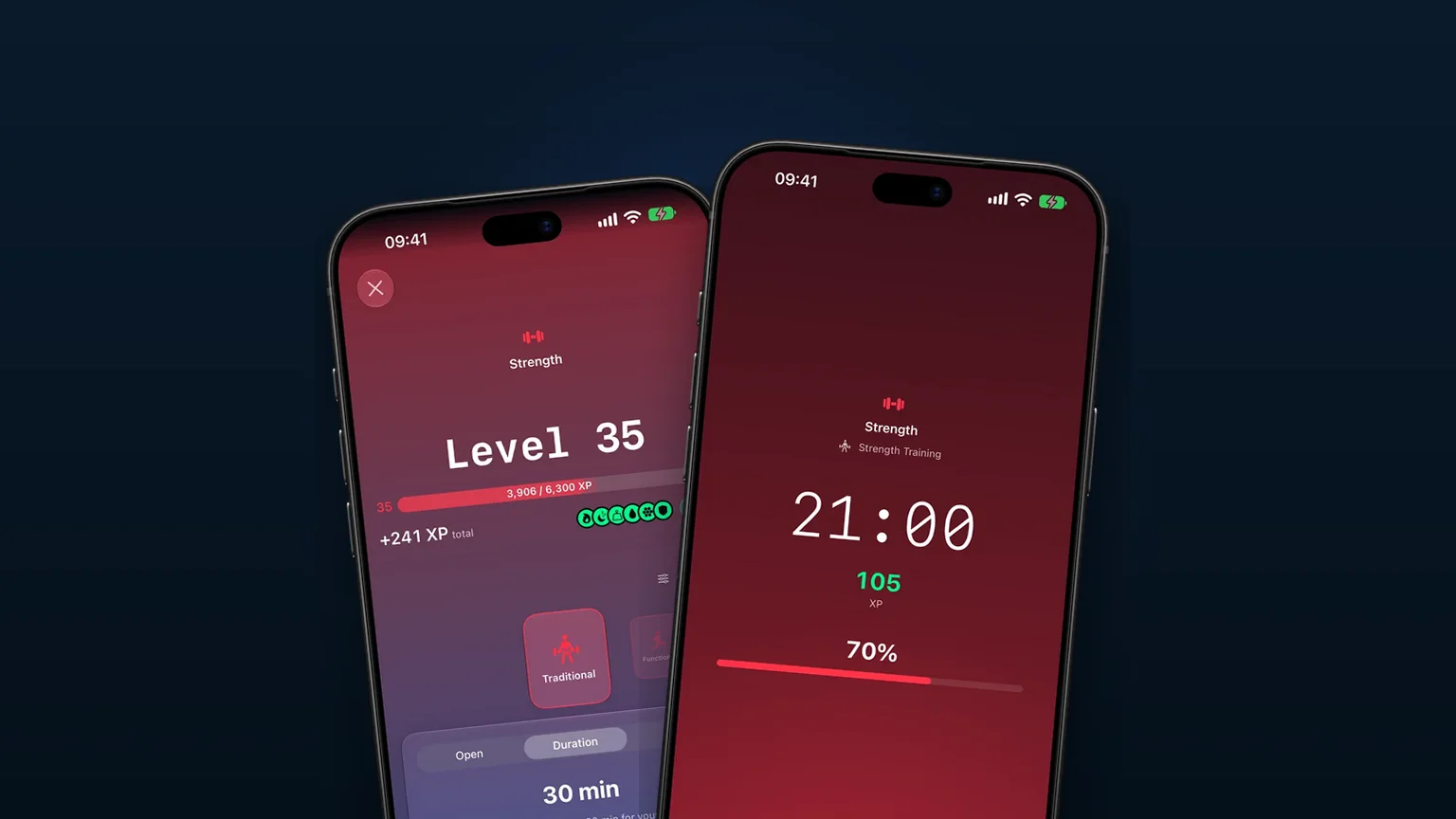
Pick an activity, start the timer and CharacterSheet turns the minutes into XP for one of your six stats. The timer stays on your Lock Screen and in the Dynamic Island while you train.
 CharacterSheet is an iPhone and Apple Watch appPoint your iPhone camera at the code to install it.
or text me the link
What the XP timer does
The XP timer is how you train in CharacterSheet. You choose a stat and an activity, start a session, and every minute you train earns XP for that stat. The base rate is 5 XP per minute, scaled by how hard the activity is for your current level, plus any buffs you have active.
The Clock app already has a timer and a stopwatch, and both are fine for counting time. Neither knows what the time was for. CharacterSheet keeps the same running clock but attaches it to a stat, a level and a reward, then logs the session so it feeds your levels and your streak. The timer also holds the screen awake for the whole session, so it does not lock mid-set.
How it works, step by step
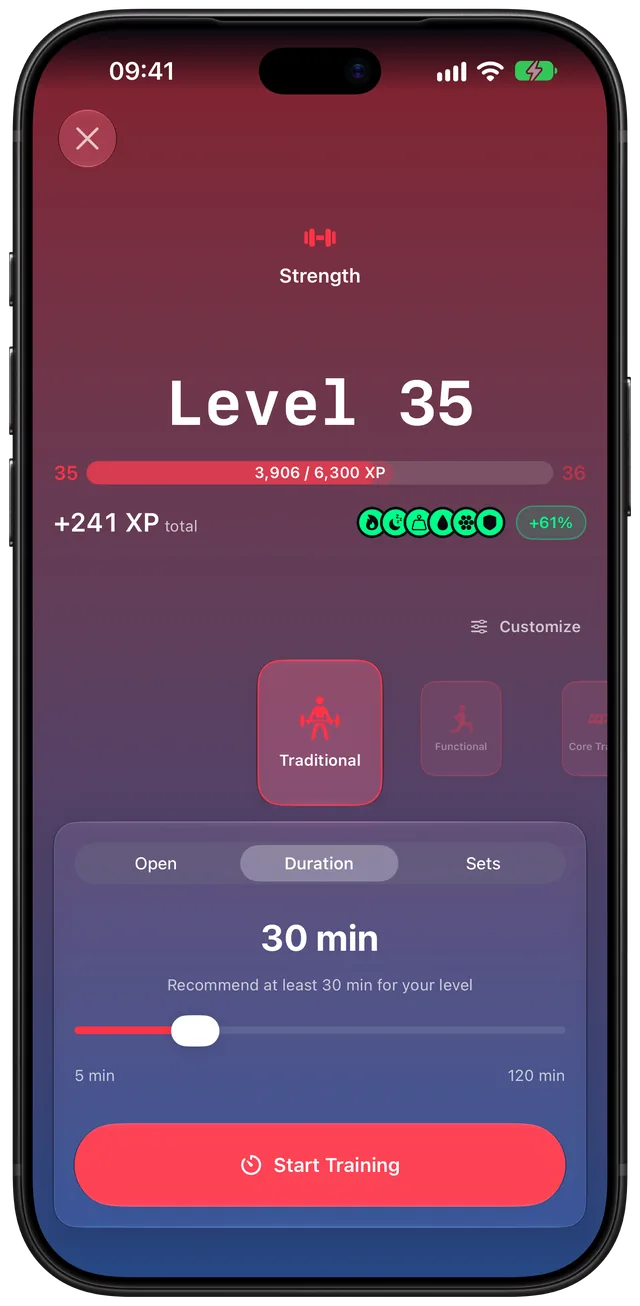
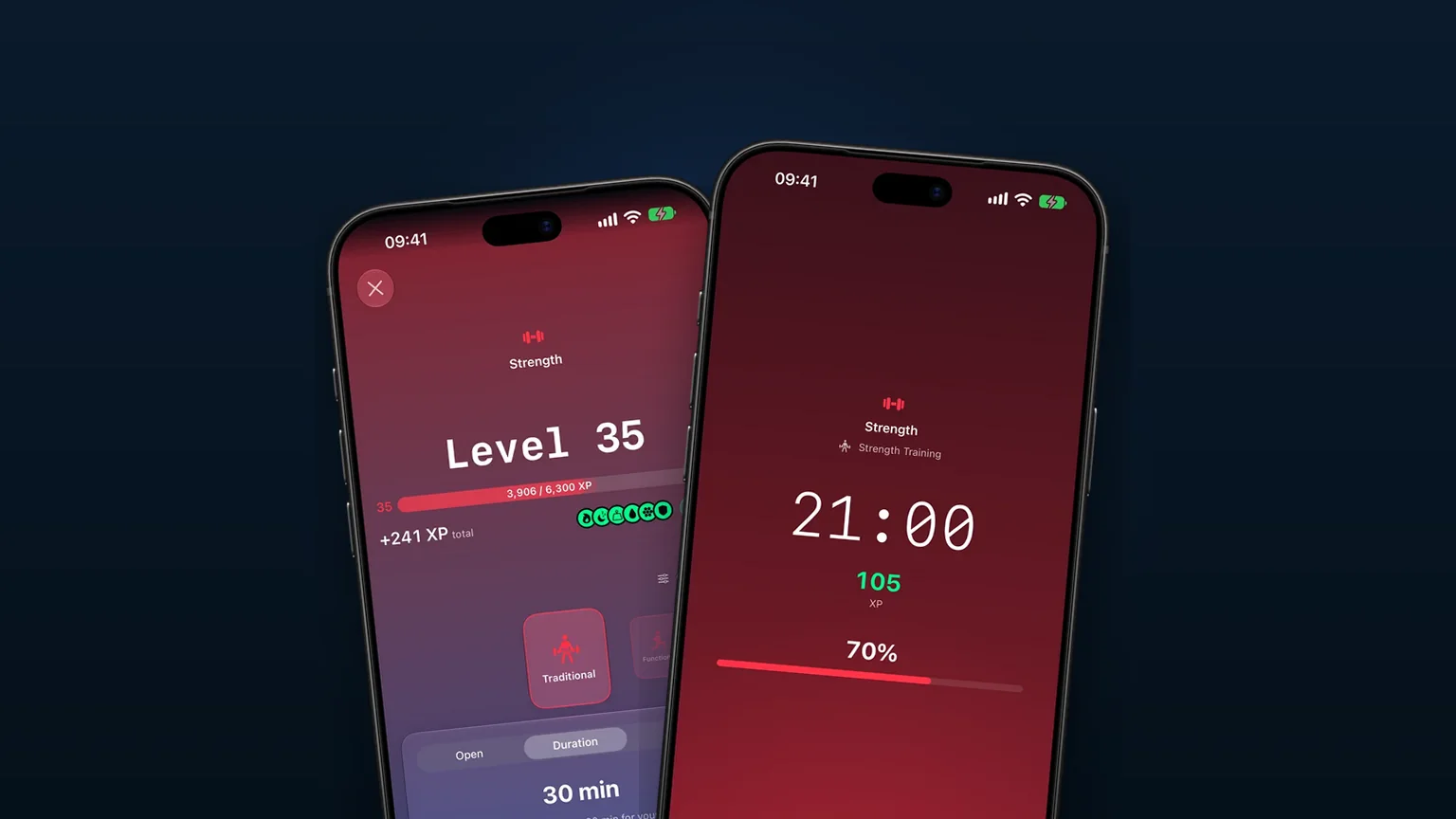
- Open a stat and pick an activity from the row of cards, for example Traditional under Strength.
- Choose a timer type at the top of the card: Open, Duration or Sets. See the options.
- Check the reward row under your level bar. It shows the XP the session will pay in total, and the buffs that apply.
- Tap Start Training. A 3, 2, 1 countdown plays first and is not counted in your time.
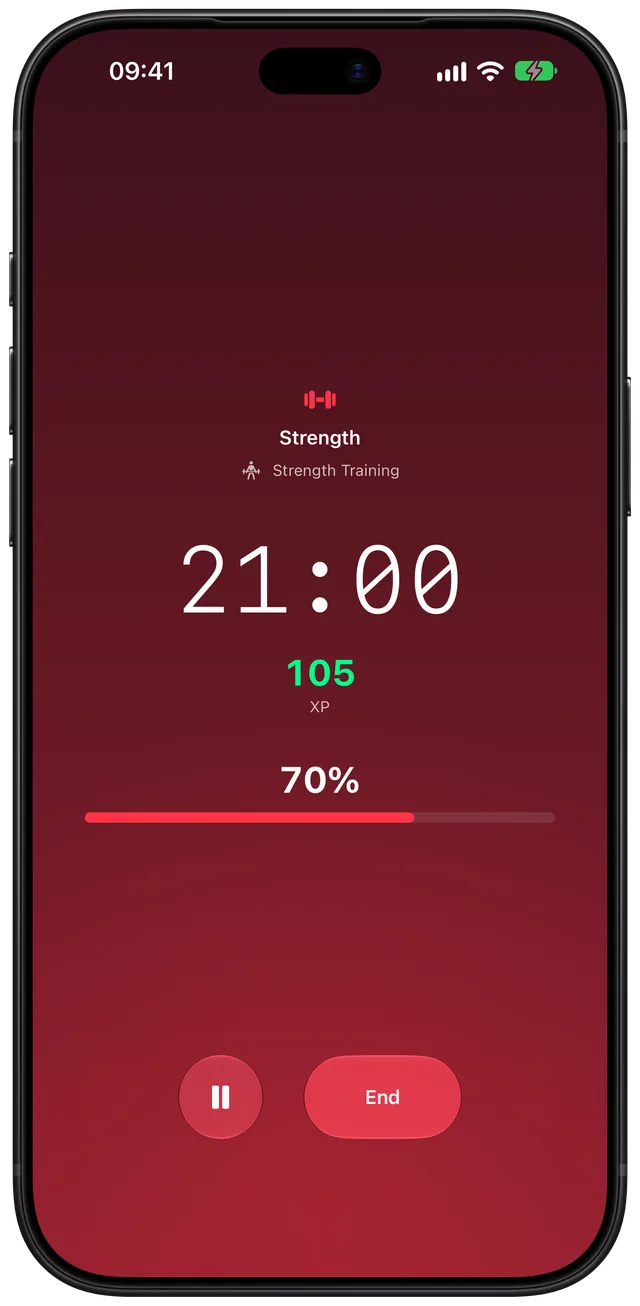
- Train. XP counts up in steps of 10 seconds once you pass the one minute mark. Pause freezes the clock and End finishes the session.
- Lock your phone. The session stays on the Lock Screen, and in the Dynamic Island on iPhones that have one. It shows the activity, the stat and level, your XP rate and the running time.
- Tap End, check the summary, then tap Done. The XP lands on your stat.
The Lock Screen card shows a line like "STR · Lv 35 · 5 XP/min". It shows your rate, not a running total, because iOS suspends the app while the phone is locked and the app cannot push a new number. The rate and the clock stay correct without the app's help. The XP total is on the full screen.
Every option
| Timer type | What it does | Range |
|---|---|---|
| Open | No target. Counts up until you tap End. | Up to 24 hours, then it ends itself |
| Duration | Counts up to a target, then pauses with a haptic and a tone. | 5 to 120 min, in steps of 5 |
| Sets | Work and rest intervals with a 3, 2, 1 beep into each change. | 1 to 10 sets, work 20 to 90 s, rest 10 to 90 s |
A few details that matter:
- Duration pauses at the target so you land on the planned length. You can resume and run over, or end.
- Sets is available for Strength only. The last set has no trailing rest, so 3 sets of 40 s work and 20 s rest total 2 min 20 s.
- The app remembers the last mode and settings for each activity, and the last duration for each stat.
- Ambient sound is offered for Spirit and Wisdom sessions and follows pause and resume.
- Effort is priced by the activity's difficulty against your level: below your level band earns 0 XP, on it 1x, one tier above 1.5x, two or more tiers above 2x.
- With an Apple Watch app paired, the session runs on the watch and your phone mirrors it. A measured heart rate can add up to 25% more XP.
- Active buffs and your Momentum bonus add on top.
When it is the right tool
A gym session with the phone in your pocket
Start an Open or Duration session before your first set. The Lock Screen card keeps the clock one glance away, and the screen stays awake if you want to look at it between sets.
Interval training
Pick Strength, choose Sets and set your work and rest times. The phone beeps you into each interval so you do not watch the clock.
A walk or a run
Open mode fits when you do not know how long you will be out. Lock the phone and check the Dynamic Island when you want the time.
Focus and reading blocks
Spirit and Wisdom use the same timer, with an ambient sound for the session. The guide on tracking reading and study time covers that use.
A daily streak you can see
A session of 5 minutes or more lights the day for your streak and your Momentum bonus. The workout streak guide explains how to keep one going.
Limits
- Under one minute earns nothing. XP starts at the 60 second mark.
- The Lock Screen shows a rate, not a total. It cannot update while the phone is locked.
- No Lock Screen card if Live Activities are off. The app starts one only when iOS allows it, and the timer itself still runs.
- Light activities can pay 0. Once an activity falls below your level band, it earns no XP. The Lock Screen then hides the rate.
- Sets is Strength only.
- It ends at 24 hours. A forgotten timer does not run forever.
- It needs access. After the one free pass (the rest of the day you finish onboarding, plus the next day), the app asks for a subscription.
For the bigger picture, see how to gamify your workouts.
Frequently asked questions
Is there a workout XP app?
CharacterSheet is one. You start a timer for a stat and an activity, and each minute earns XP that raises that stat's level, from Level 1 up to 60. XP depends on the activity's difficulty for your level, and buffs add a bonus.
How much XP does the timer give?
The base rate is 5 XP per minute, counted in 10 second steps after the first minute. An activity on your level band pays 1x, one tier above pays 1.5x and two or more tiers above pays 2x. An activity below your band pays 0.
Is there a gamified workout timer with a Lock Screen display?
Yes. When you start a session, CharacterSheet starts a Live Activity that shows the running time, the activity, your stat and level, and your XP per minute. It appears on the Lock Screen and in the Dynamic Island on iPhones that have one.
Can I earn XP for exercise without a time target?
Yes. Choose the Open timer type and train for as long as you like, then tap End. Open sessions end on their own after 24 hours.
Does the timer work with interval workouts?
Yes, for Strength. Choose Sets, pick 1 to 10 sets and set work and rest times. The phone beeps for the last 3 seconds of each interval and buzzes at each change.
Does the screen stay on during a session?
Yes. CharacterSheet keeps the screen awake from start to end, including while paused. The Lock Screen card still shows the session if you lock the phone yourself.
Sources
Start your first session
Get CharacterSheet on the App StoreMore features
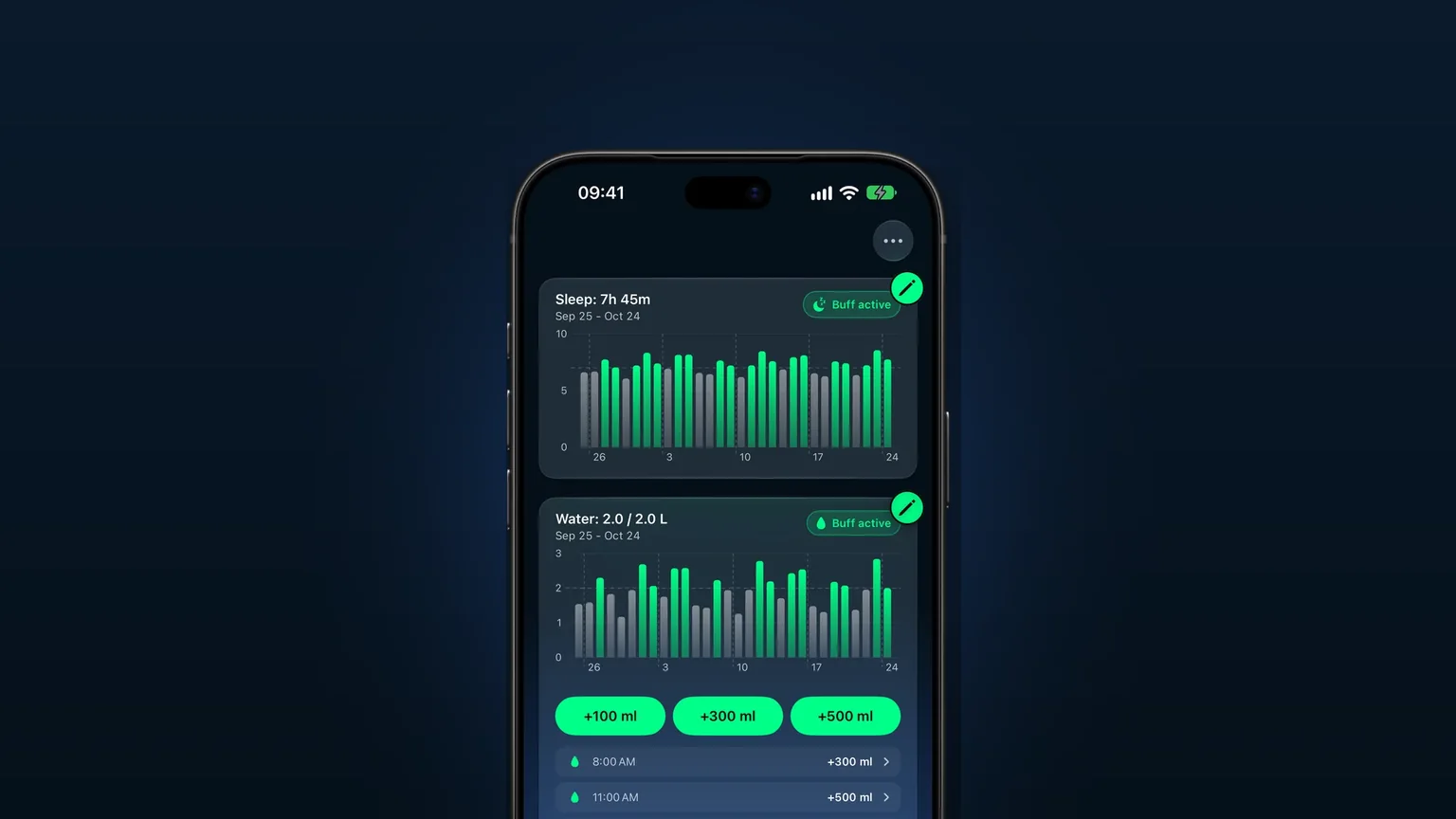
Works with Apple Health
Reads your workouts, heart rate, sleep, weight and water from Apple Health, and saves your workouts back.
An Apple Watch workout app where heart rate earns XP
Start a session from your wrist and let your heart rate raise the XP, by up to 25% for harder work.
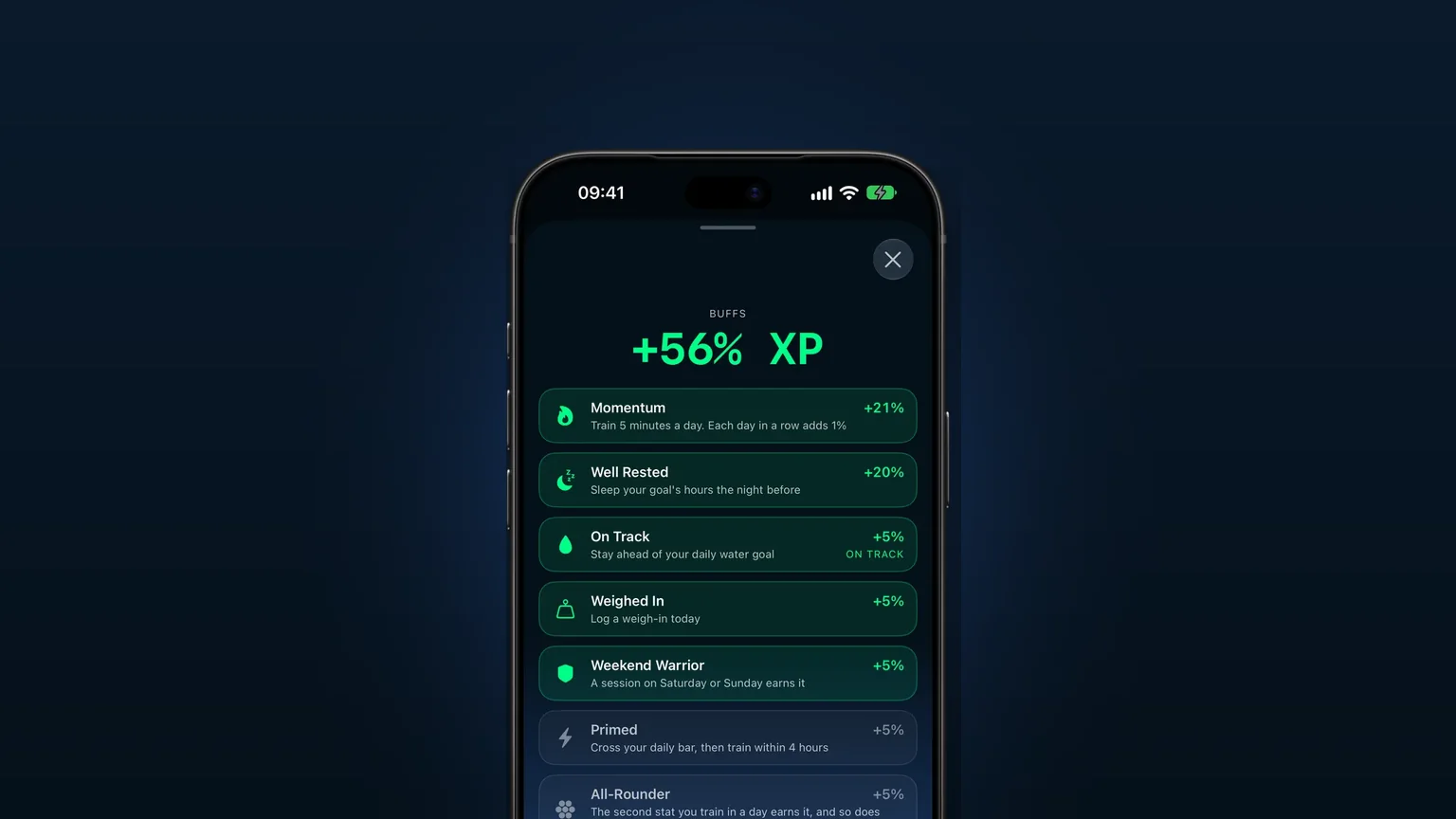
Buffs for sleep, water and weigh-ins
Sleeping your goal, staying on pace with water and weighing in each add bonus XP to your sessions.